☑Kizspy.me
•
For distance learning: Google Meet, Hangout (for Exam Monitoring Purpose).
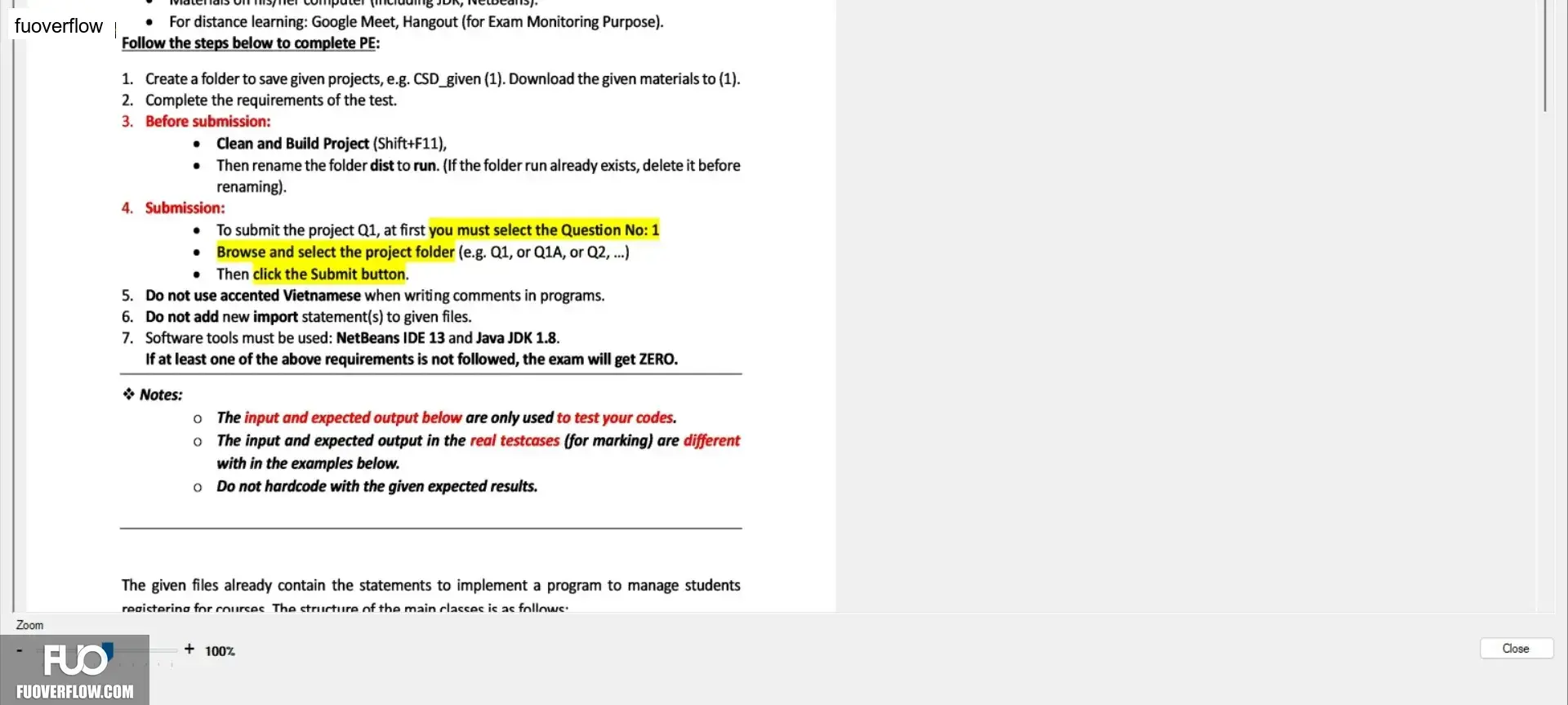
Follow the steps below to complete PE:
1. Create a folder to save given projects, e.g. CSD_given (1). Download the given materials to (1).
2. Complete the requirements of the test.
3. Before submission:
• Clean and Build Project (Shift+F11),
• Then rename the folder dist to run. (If the folder run already exists, delete it before
renaming).
4. Submission:
• To submit the project Q1, at first you must select the Question No: 1
•
•
Browse and select the project folder (e.g. Q1, or Q1A, or Q2, ...)
Then click the Submit button.
5. Do not use accented Vietnamese when writing comments in programs.
6. Do not add new import statement(s) to given files.
7. Software tools must be used: NetBeans IDE 13 and Java JDK 1.8.
If at least one of the above requirements is not followed, the exam will get ZERO.
✰ Notes:
。 The input and expected output below are only used to test your codes.
。 The input and expected output in the real testcases (for marking) are different
with in the examples below.
°
Do not hardcode with the given expected results.
The given files already contain the statements to implement a program to manage students
registering for courses The structure of the main classes is as follows:
+ 100%
Zoom
Close