-

Cùng tham gia nhóm của FuOverflow trên Facebook https://www.facebook.com/groups/nvh2fuoverflow
Bài viết gốc: Chủ đề 'PRN231 - PE - SP 2025'
☑Kizspy.me
Windows Forms
Windows Presentation Foundation
1. Authentication function
If user with a Moderator role or Developer role or Member role logs in successfully, save this information
a temporary parameter.
■
Moderator role will have a permission to all actions (CRUD and search).
Developer or Member role will have only permission to search information.
■ Other roles do not have any permissions.
In the case login unsuccessfully, display "You are not allowed to access this function!"
2. Check if login successfully, search all items with 3 conditions: ModelName, Material or Color (using relat
search). Search results need to be grouped by ModelName, Material and Color.
3. Check if login successfully, get all items includes all Handbag information and BrandName.
4. Check if login successfully, delete the selected item with the confirmation then update the list of items.
5. Check if login successfully, add new item with the requirements:
• All fields are required.
 Value for ModelName includes a-z, A-Z, space, # or digit 0-9. Each word of the ModelNa
must begin with the capital letter or digit.
Value for Price, Stock > 0.
6. Check if login successfully, update existing item with the same requirements with add function.
Zoom
+ 100%
Close
Windows Forms
Windows Presentation Foundation
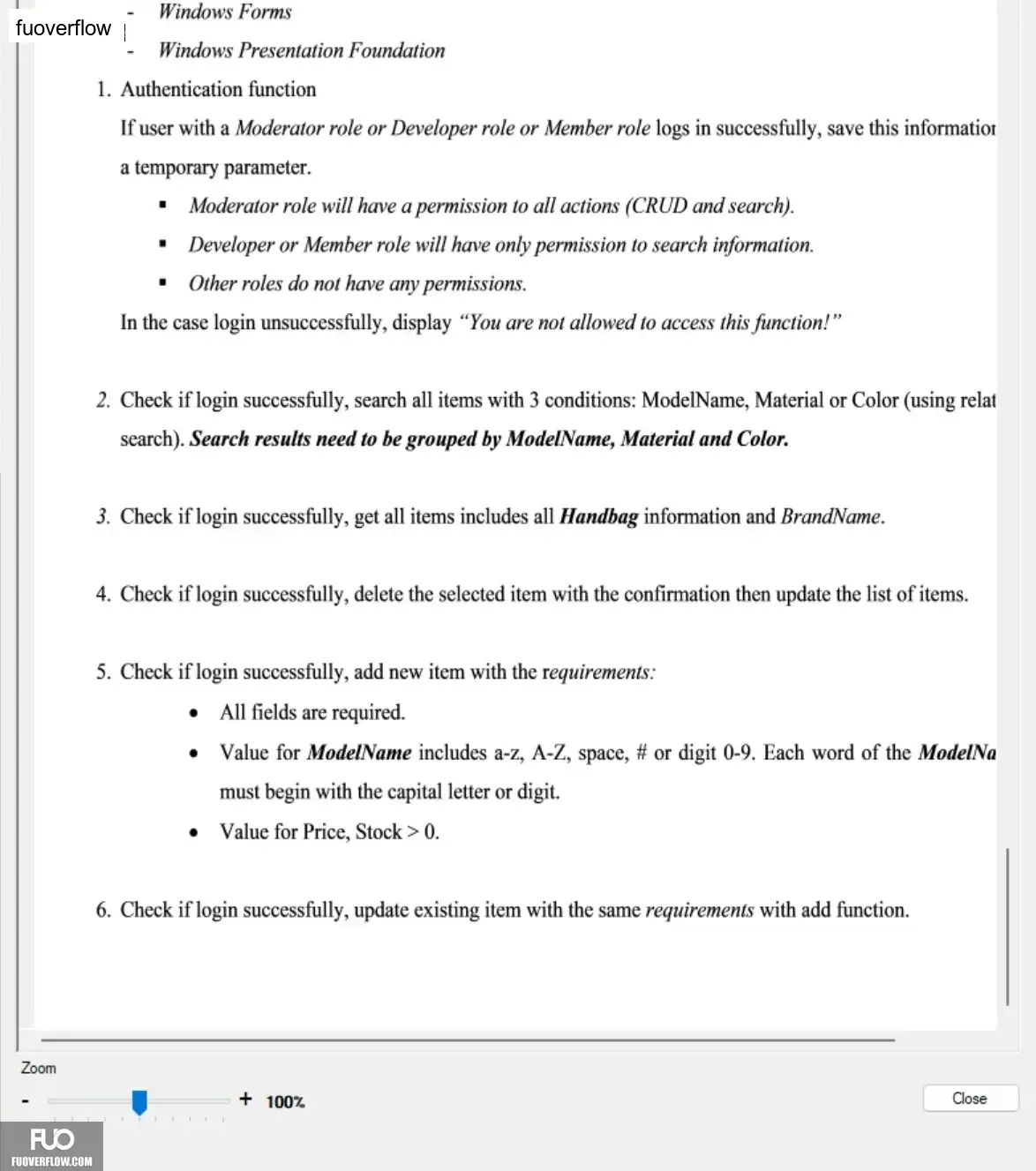
1. Authentication function
If user with a Moderator role or Developer role or Member role logs in successfully, save this information
a temporary parameter.
■
Moderator role will have a permission to all actions (CRUD and search).
Developer or Member role will have only permission to search information.
■ Other roles do not have any permissions.
In the case login unsuccessfully, display "You are not allowed to access this function!"
2. Check if login successfully, search all items with 3 conditions: ModelName, Material or Color (using relat
search). Search results need to be grouped by ModelName, Material and Color.
3. Check if login successfully, get all items includes all Handbag information and BrandName.
4. Check if login successfully, delete the selected item with the confirmation then update the list of items.
5. Check if login successfully, add new item with the requirements:
• All fields are required.
Value for ModelName includes a-z, A-Z, space, # or digit 0-9. Each word of the ModelNamust begin with the capital letter or digit.
Value for Price, Stock > 0.6. Check if login successfully, update existing item with the same requirements with add function.
Zoom
+ 100%
Close