2 of 2
Paper No: 5
Question 1:
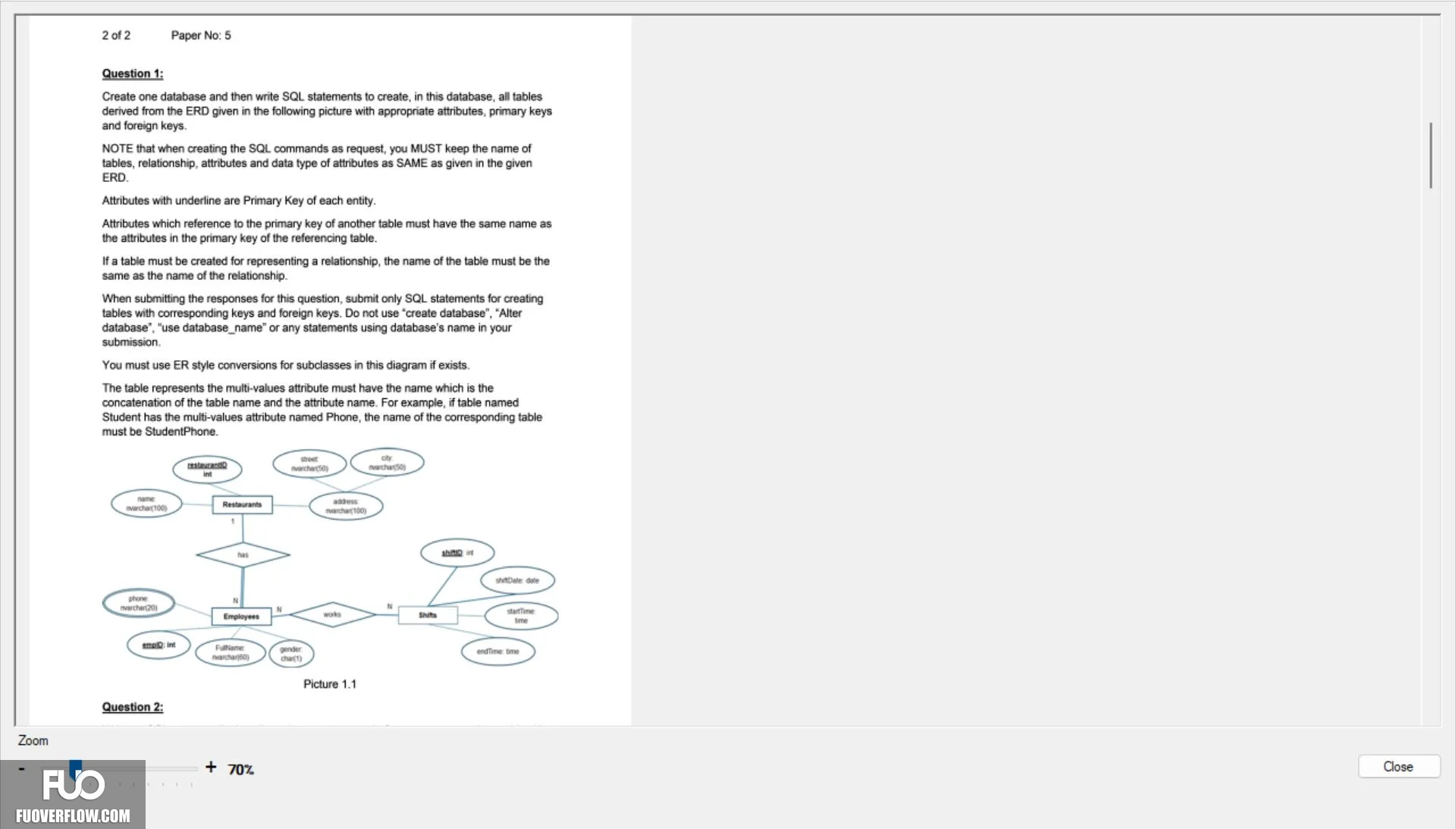
Create one database and then write SQL statements to create, in this database, all tables
derived from the ERD given in the following picture with appropriate attributes, primary keys
and foreign keys.
NOTE that when creating the SQL commands as request, you MUST keep the name of
tables, relationship, attributes and data type of attributes as SAME as given in the given
ERD.
Attributes with underline are Primary Key of each entity.
Attributes which reference to the primary key of another table must have the same name as
the attributes in the primary key of the referencing table.
If a table must be created for representing a relationship, the name of the table must be the
same as the name of the relationship.
When submitting the responses for this question, submit only SQL statements for creating
tables with corresponding keys and foreign keys. Do not use "create database", "Alter
database", "use database_name" or any statements using database's name in your
submission.
You must use ER style conversions for subclasses in this diagram if exists.
The table represents the multi-values attribute must have the name which is the
concatenation of the table name and the attribute name. For example, if table named
Student has the multi-values attribute named Phone, the name of the corresponding table
must be StudentPhone.
name
nvarchar(100)
phone
nvarchar(20)
int
Restaurants
has
Employees
street
nvarchar(50)
oty
nvarchar(50)
smo: int
FulName
nvarchar)
gender
chart)
Zoom
Question 2:
+ 70%
address
varchar(100)
N
works
Picture 1.1
startTime
time
0000
shino int
shtDate date
Shits
endTime: time
Close