-

Cùng tham gia nhóm của FuOverflow trên Facebook https://www.facebook.com/groups/nvh2fuoverflow

Q1_20251109155258.webp
Bài viết gốc: Chủ đề 'MMA301 - FA25 - PE'
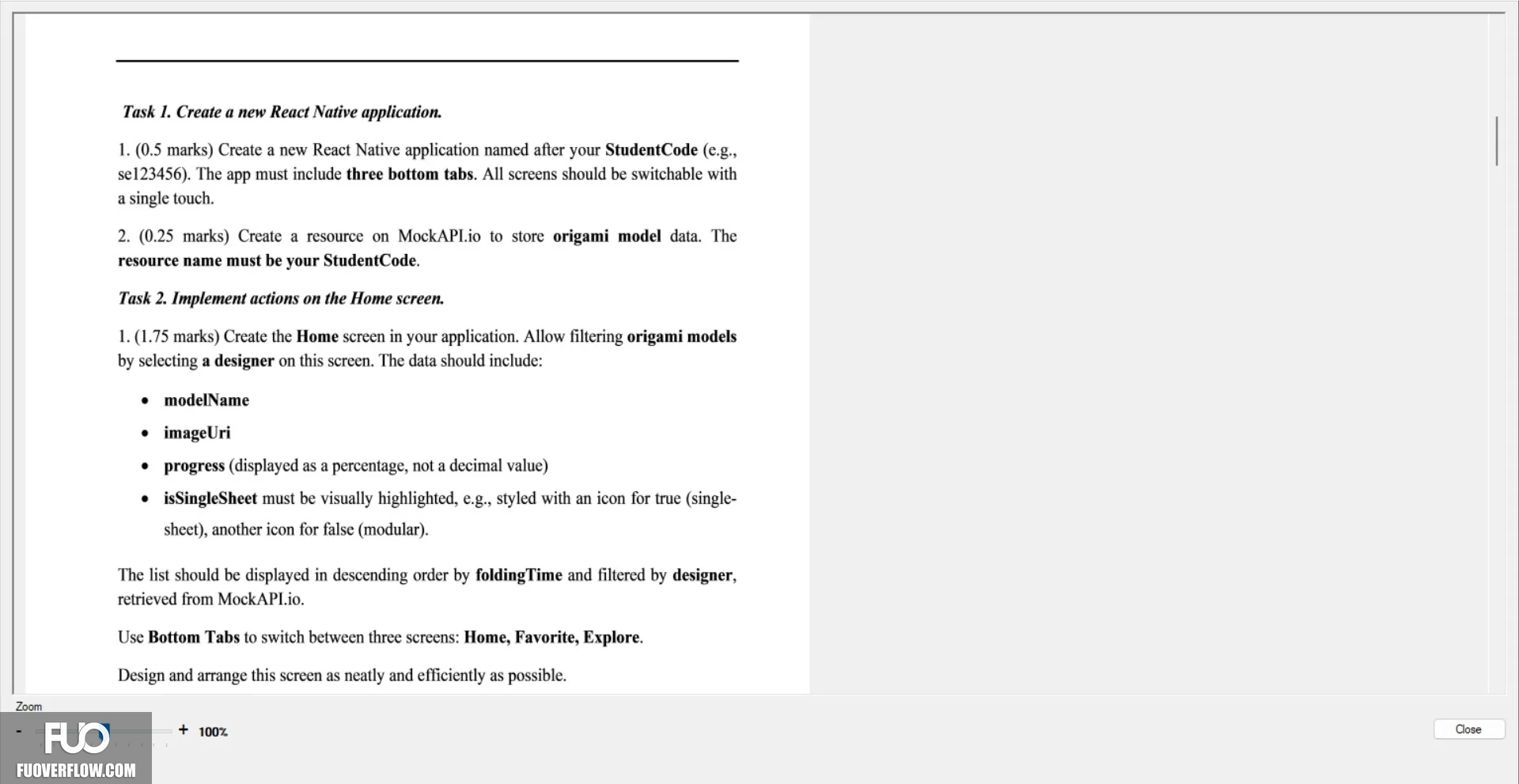
Task 1. Create a new React Native application.
1. (0.5 marks) Create a new React Native application named after your StudentCode (e.g.,
se123456). The app must include three bottom tabs. All screens should be switchable with
a single touch.
2. (0.25 marks) Create a resource on MockAPI.io to store origami model data. The
resource name must be your StudentCode.
Task 2. Implement actions on the Home screen.
1. (1.75 marks) Create the Home screen in your application. Allow filtering origami models
by selecting a designer on this screen. The data should include:
modelName
 imageUri
•
progress (displayed as a percentage, not a decimal value)
Zoom
isSingleSheet must be visually highlighted, e.g., styled with an icon for true (single-
sheet), another icon for false (modular).
The list should be displayed in descending order by foldingTime and filtered by designer,
retrieved from MockAPI.io.
Use Bottom Tabs to switch between three screens: Home, Favorite, Explore.
Design and arrange this screen as neatly and efficiently as possible.
+ 100%
Close
1. (0.5 marks) Create a new React Native application named after your StudentCode (e.g.,
se123456). The app must include three bottom tabs. All screens should be switchable with
a single touch.
2. (0.25 marks) Create a resource on MockAPI.io to store origami model data. The
resource name must be your StudentCode.
Task 2. Implement actions on the Home screen.
1. (1.75 marks) Create the Home screen in your application. Allow filtering origami models
by selecting a designer on this screen. The data should include:
modelName
imageUri•
progress (displayed as a percentage, not a decimal value)
Zoom
isSingleSheet must be visually highlighted, e.g., styled with an icon for true (single-sheet), another icon for false (modular).
The list should be displayed in descending order by foldingTime and filtered by designer,
retrieved from MockAPI.io.
Use Bottom Tabs to switch between three screens: Home, Favorite, Explore.
Design and arrange this screen as neatly and efficiently as possible.
+ 100%
Close