INSTRUCTIONS
Please read the instructions carefully before doing the questions.
You are Not allowed to use any device to share data with others.
You must use IDE as Visual Studio Code, for your development tools.
Your work will be considered invalid (0 point) if your code inserts stuff that is unrelated to the test.
Create a new React application using npx create-react-app or npm create vite. Name your app folder with your username (E.g.: ManNLT123456).
Task 1. Create a new resource and supply data for your application.
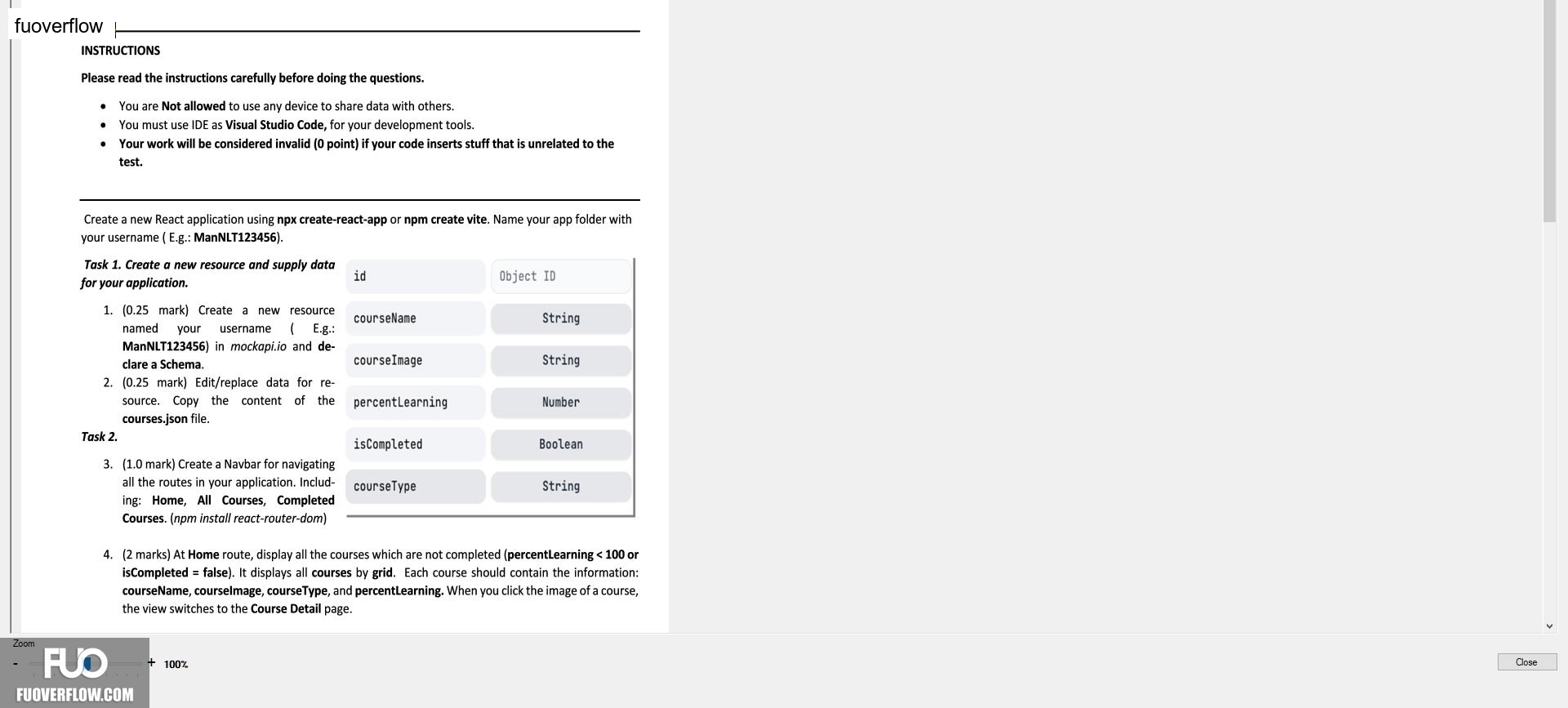
Object ID
1. (0.25 mark) Create a new resource named your username (E.g.:ManNLT123456) in mockapi.io and de-clare a Schema.
courseName
String
2. (0.25 mark) Edit/replace data for re-source. Copy the content of the courses.json file.
courseImage
String
percentLearning
Number
Task 2.
isCompleted
Boolean
3. (1.0 mark) Create a Navbar for navigating all the routes in your application. Includ-ing: Home, All Courses, Completed Courses. (npm install react-router-dom)
courseType
String
Zoom
Close
4. (2 marks) At Home route, display all the courses which are not completed (percentLearning < 100 or isCompleted = false). It displays all courses by grid. Each course should contain the information:courseName, courselmage, courseType, and percentLearning. When you click the image of a course,the view switches to the Course Detail page.
+ 100%
id